
3D City Builder Simulator (UE4, Blueprints)
This section contains examples of features and their snippets of their code implementation.
Grid Generation
The game has multiple floor levels to build on as the game takes place in a mountain you excavate through horiztonally and vertically. This required a grid to be generated, and then replicated vertically at set height levels and managed accordingly, as the player would need to toggle through different floor levels, which changes what can to be interacted with, and what is currently being rendered visually.

Above: Example of grid level generation at runtime.
Below shows the grid organizer script, when initialized, fires an event every 1 second to check whether the defiend grids to be generated have been generated. The amount of grids is a public variable that can be changed to generate X grids, a boolean var always starts false, and whilst false, will continue to call the grid generation event creating grids.
.png)
When this event is successful, a grid manager object with script is spawned, and the grid generation function for that independant grid manager is run.
.png)
Above, grid generation script on the independant newly spawned grid.
When this grid generation event is called, is is checked whether it's the first grid created, making it the active grid if true and it is added to an array of grids for management later on.
SetGridOffset is called before the grid is populated with grid spaces, which defines the height of the grid, to represent different floor levels (the height is manually adjusted based on which grid manager it is (floor level) in the grid manager array. The offset increments by 2250 units each level downwards.
.png)
Grid Offset Function
.png)
Following this the grid is actually generated as previously it was just the object containing the generation scripts spawned.
Grid Generation Event
The grid is populated with grid cells with predefined dimensions, which are used to build upon, and contain environment elements etc.
Then Grid Cell Neighbours are assigned, which registers the North, South, East and West cells which are directly next to a generated cell. This is used later on when checking the surrounding radius of cells.
Lastly the grid is hidden if it is not the first grid generated, then the grid manager variables are updated, and going back to the Grid Organizer, it loops through until the required amount of grids have been generated.
.png)
Grid Generated
Multi Level AI Navigation
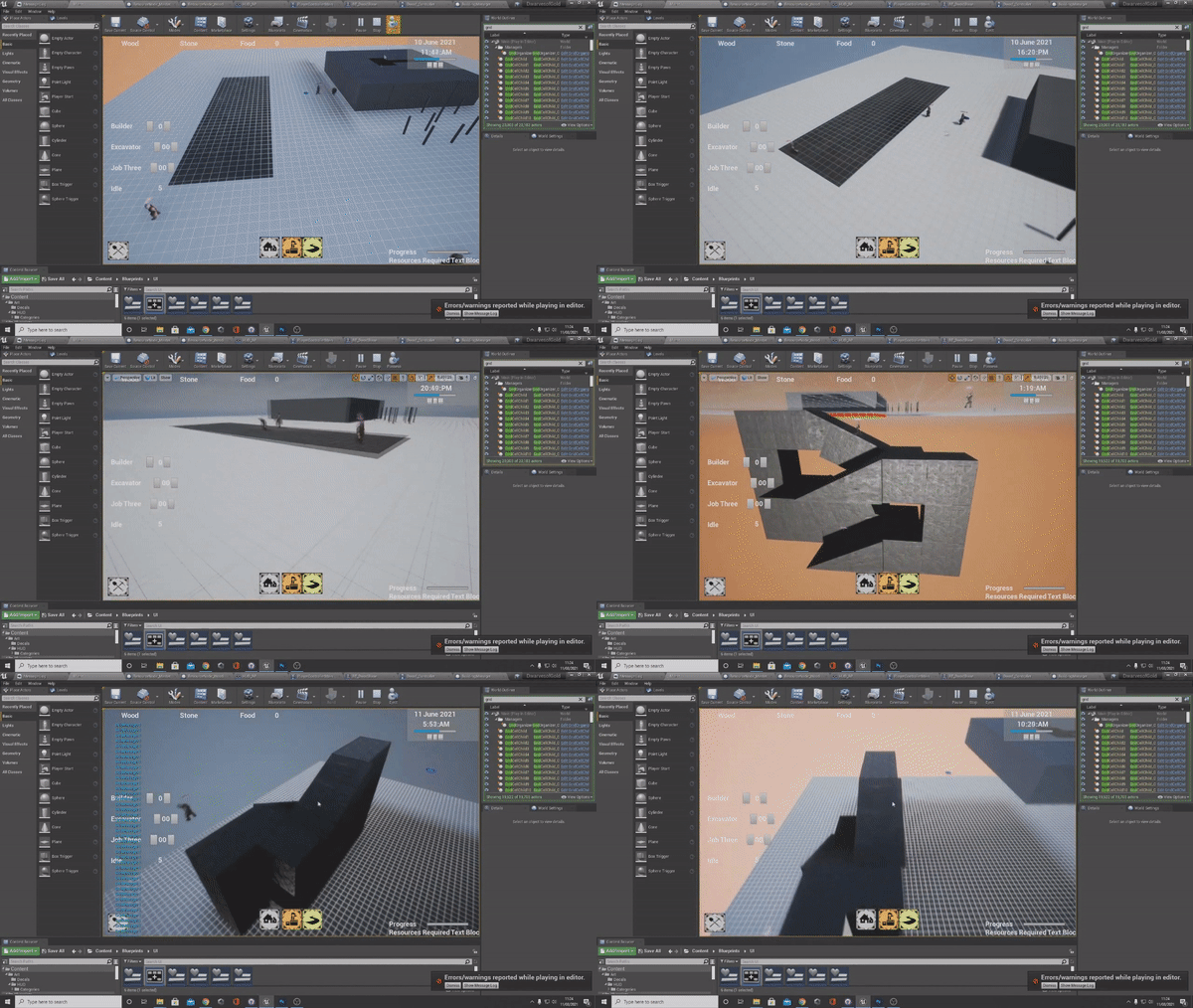
Having multiple levels means that there needed to be a way for NPC's to be able to update their navigation mesh to include the bridge between levels, for example taking stairs from one floor to the other.
As each grid had it's own independant instanced cells, when placing a building it needed to check for all the cells it would overlap, find them in the grid manager array, and remove them. Then work out a way to connect the navigation mesh to allow pathfinding between floors.
.png)
This was accomplished by setting up a function in the master building blueprint, that would use the relevent building dimensions as the input for a box trace, which would find all the objects in building footprint's bounds and return them as a struct, from this was taken objects which matched grid cells, of the currently active grid manager aka the floor which was active.
These grid cells were then stored in an array unique to that building for future reference of what took up the space.
.png)
Once the staircase building is completed, is it spawned as a new object, the cells it takes up are deleted and removed from the grid array., and the game object is scaled to meet the floor below, thus updating the navigation mesh connecting both floor for AI to be able to navigate up and down to.
.png)
Stairs are spawned and grid cells that were occupied are deleted.
.png)
The green highlight is a navigation mesh.